Resume builder
Online Resume Builder with AI & Live Preview
A structured editor with the finished page beside it. You write each section in a form, see the page reflow as you type, and export a PDF whose text an applicant tracking system can read.
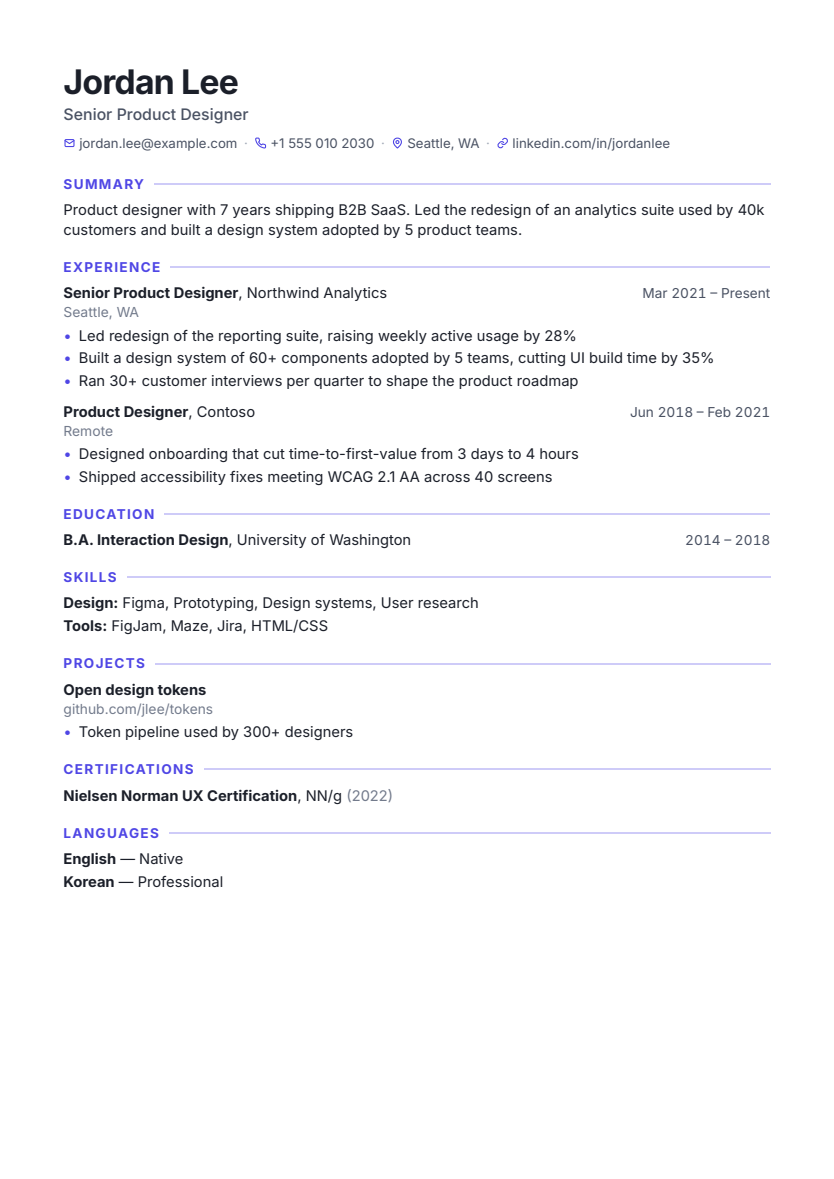
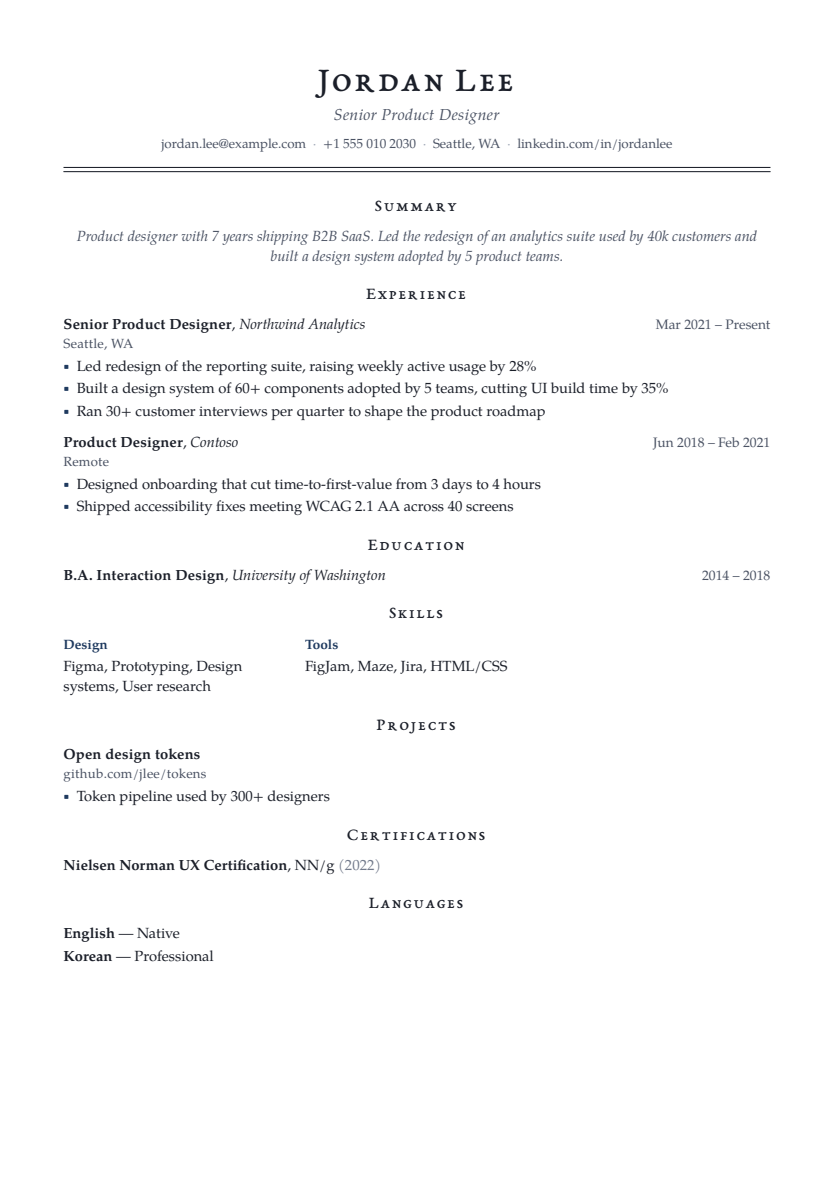
What it does
The builder keeps your content and your design separate. Content is stored as structured sections: contact details, summary, experience, education, skills, projects, certifications, languages and your own custom sections. Design is a set of options applied on top: template, fonts, accent color, heading style, spacing and section order. Because they're separate, you can change the look at any time without retyping anything.
It suits anyone who wants a clean, conventional resume without fighting a word processor's layout: students writing a first resume, people updating one after a few years, and anyone who keeps several versions for different kinds of roles.
How it works
- Start from scratch or importCreate a blank resume, or import a PDF or DOCX you already have.
- Fill in sectionsThe editor has a section rail on the left, the form in the middle and the page preview on the right. Entries and bullets can be reordered, and changes save automatically.
- Follow the section coachRule-based tips update as you type: a bullet with no measurable result, passive phrasing, a summary that's too long, an abbreviation worth spelling out. Each tip has a Show link to the exact field.
- Pick a designChoose one of 18 templates, then adjust fonts, colors, header layout, bullet style, date position, density, margins and section order.
- Check and exportRun the ATS check from the editor's ATS tab, then export a PDF.
Useful details
- Undo and redo across edits (⌘Z / Ctrl+Z), including after applying a fix or AI suggestion.
- The preview shows the live page count and where page breaks fall.
- Sections can be renamed, reordered or hidden without deleting their content.
- If the same resume is open in two tabs, the editor notices the conflict and asks which version to keep instead of silently overwriting.
- Missing-section suggestions recommend sections that suit your profile, such as Projects for students or Certifications for some senior roles, each with a reason and an example.
- PDFs are produced on the server with WeasyPrint and contain a real text layer, not an image of the page.
Limitations
The builder produces conventional, text-based resumes. It isn't a free-form design tool: you can't place elements anywhere on the page, add photos or draw graphics. There are size limits that keep documents sensible (for example 40 bullets per role and 1,500 characters per bullet). Styled PDF and editable single-column Word exports are available under eligible download plans. Word export uses a simpler layout.
Privacy
Resumes are stored in your account on the QuickHunt server and are visible only to you. The builder itself doesn't use AI. AI is used only when you ask for a rewrite, and then your name and contact details are removed first. See the privacy policy.
Build the right resume for your next application
For a first job, start with your qualification, relevant projects and the skills you used in them. A project description can explain the problem, your contribution and the result without pretending it was paid employment. If you already have work experience, lead with recent responsibilities and achievements that match the role. The fresher resume example and section-by-section writing guide show both approaches.
Prepare your dates, contact details and strongest examples before choosing a design. Write a clear version of the content first, then use the preview to check line breaks, spacing and page length. A template can organise your evidence; it cannot supply missing experience or make an unsupported claim true.
For a fictional customer-support applicant, “Handled queries” could become “Answered order-status and return queries, recorded unresolved cases and passed delivery issues to the operations team.” That wording explains the work without inventing a customer-satisfaction score. Keep the same standard when you review AI suggestions in the editor.
Before downloading your resume
- Use the target job's requirements to choose relevant examples.
- Check employer names, qualifications, dates and contact details yourself.
- Review every page in the preview; remove repetition before shrinking the type.
- Open portfolio links in a signed-out browser and follow the employer's file instructions.
Questions before you get started
Can I use the resume builder without AI?
Yes. Writing, editing, template switching and rule-based checks work without asking an AI model. AI writing is an optional action that uses credits; an eligible plan is required for PDF downloads.
Should every application use the same resume?
Keep a master version, then prioritise the evidence relevant to each role. Your employment history stays accurate even when you change the order of projects or shorten a summary. Follow the tailoring workflow rather than inserting every word from a posting.
Can I continue editing after changing a template?
Yes. Your content stays with the resume when you change its design. Review the preview afterwards because a different font, spacing or column arrangement can change pagination.
Build, check and tailor your resume in one place, then practise the interview.
Start a resume